
Download Sudoku Central – sudoku, puzzle game, brain teaser, number game, logic puzzle, free puzzle app, mobile sudoku
Overview
Sudoku Central serves as a comprehensive mobile solution for fans of logic-based number puzzles, offering a dynamic platform for both casual and dedicated players. Designed for users seeking mental stimulation through structured challenges, the app delivers an extensive library of Sudoku variants, catering to diverse preferences and skill levels. It addresses the common need for engaging, low-stakes cognitive exercises that promote focus, pattern recognition, and strategic thinking—qualities increasingly valued in digital leisure environments.
The app is ideal for individuals looking to pass time meaningfully, whether during commutes, breaks, or quiet evenings. Its multi-format approach ensures sustained engagement, reducing the monotony often associated with repetitive puzzle experiences. While the developer, Sudoku Central, has not disclosed additional background information, the app’s long-standing presence since its 2016 release suggests reliability and consistent maintenance. The continued availability of the app on Android indicates a dedicated user base and ongoing support.
Real-world use cases include daily mental warm-ups, stress relief, and cognitive training for older adults or students. In the broader app ecosystem, Sudoku Central occupies a niche within the puzzle category by offering more variety than standard Sudoku apps, positioning itself as a go-to destination for enthusiasts seeking depth and customization. Its free model further enhances accessibility, making it a strong contender in the logic puzzle space.
Key Features & Functionality
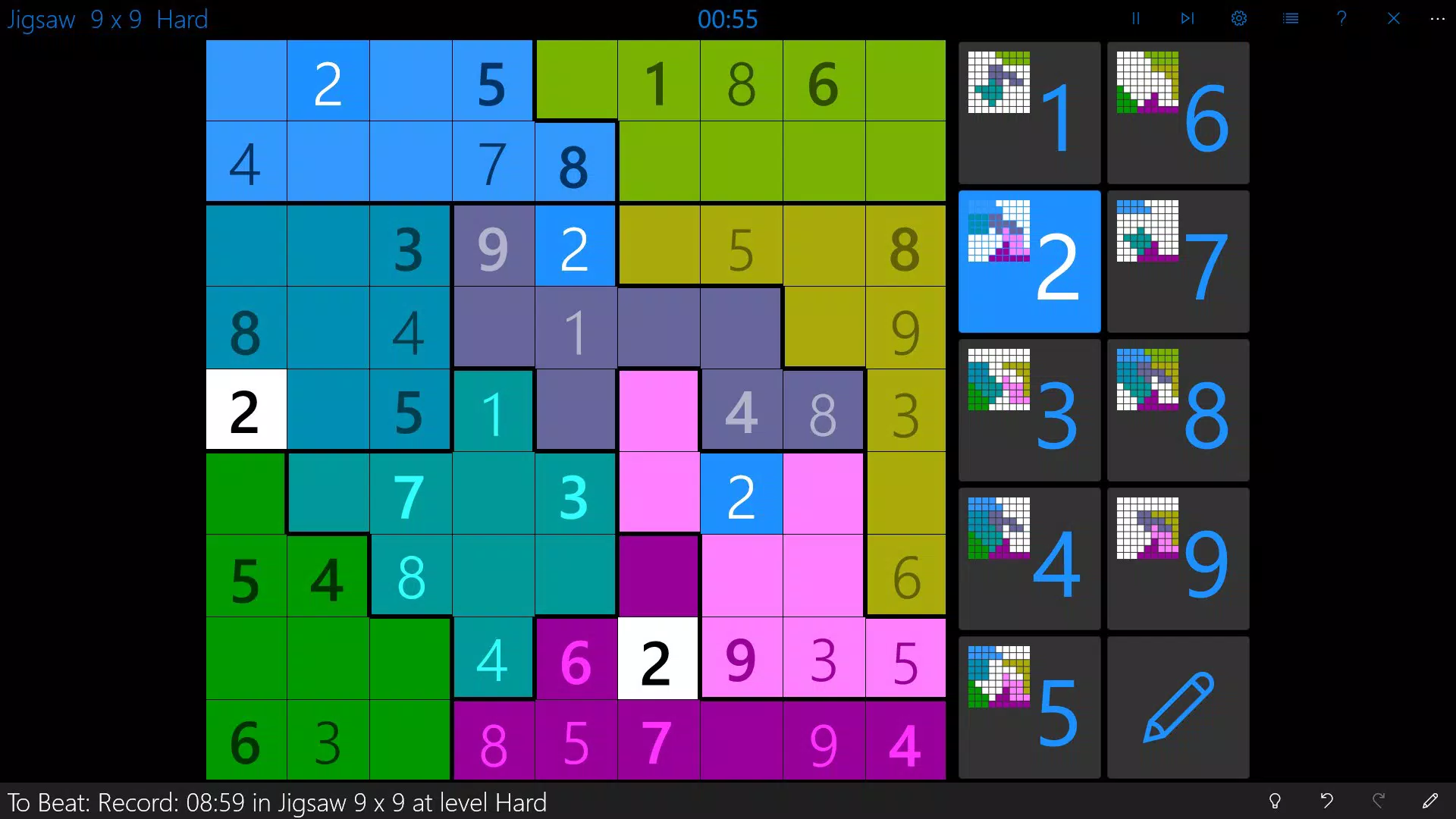
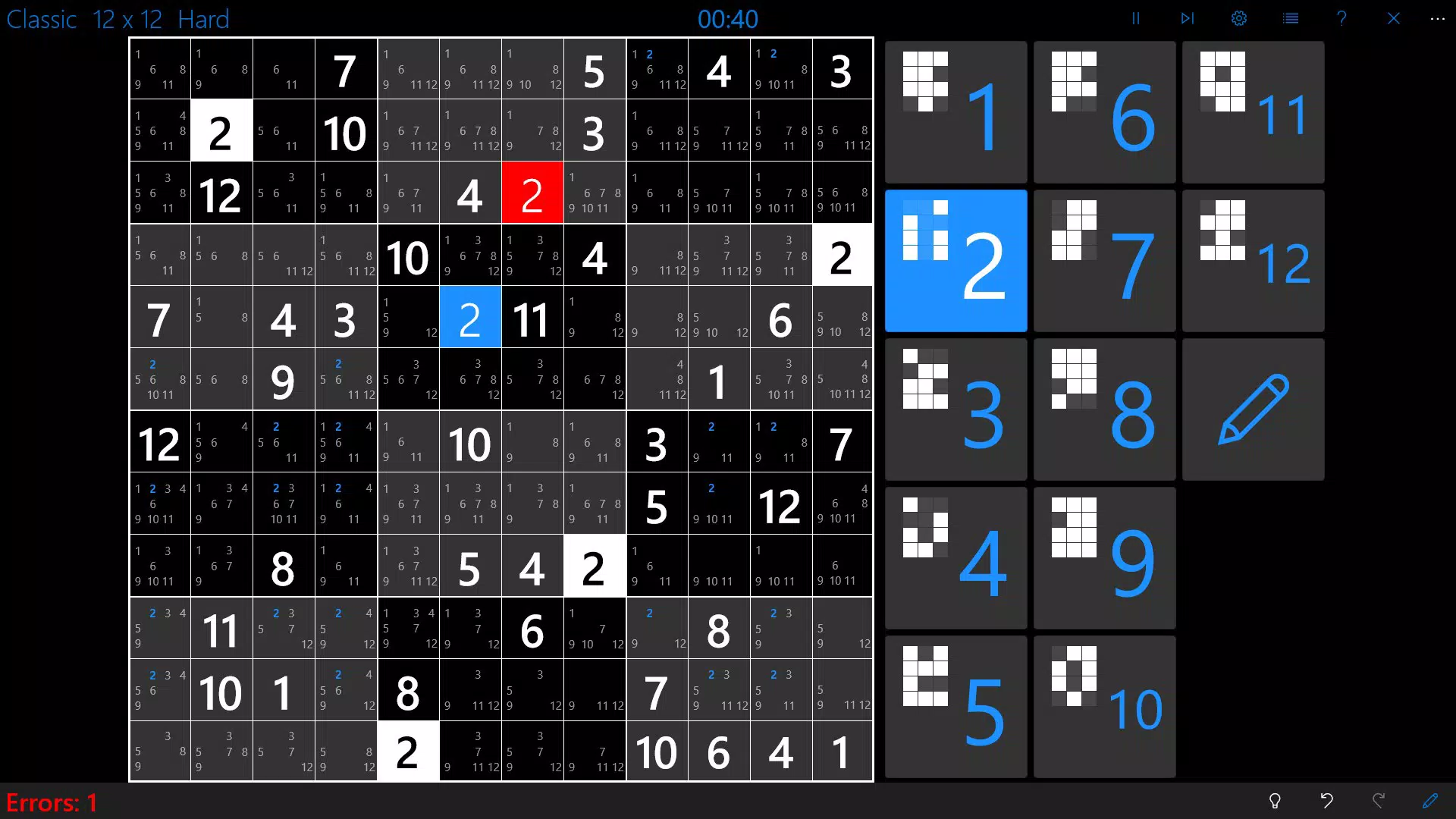
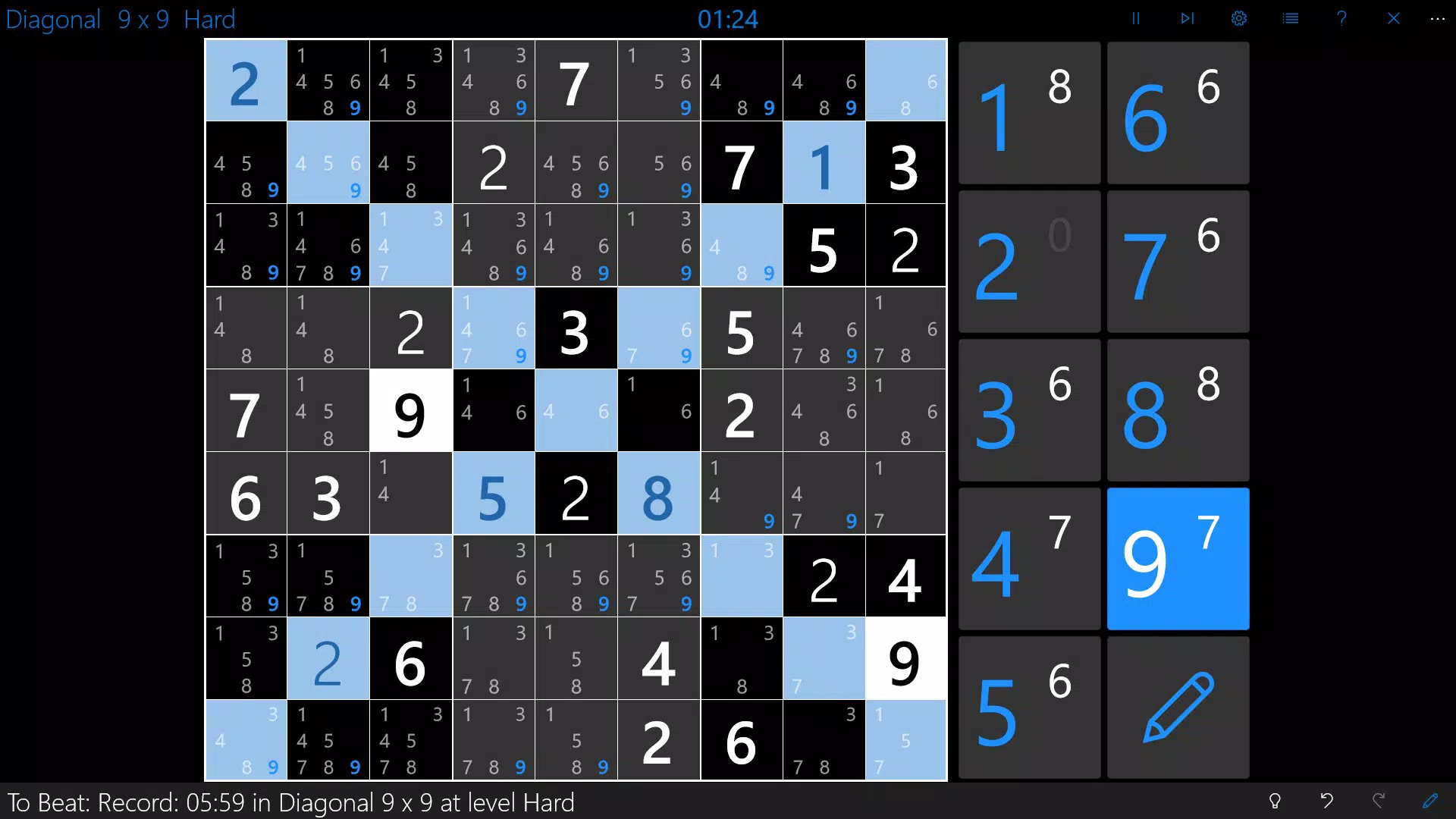
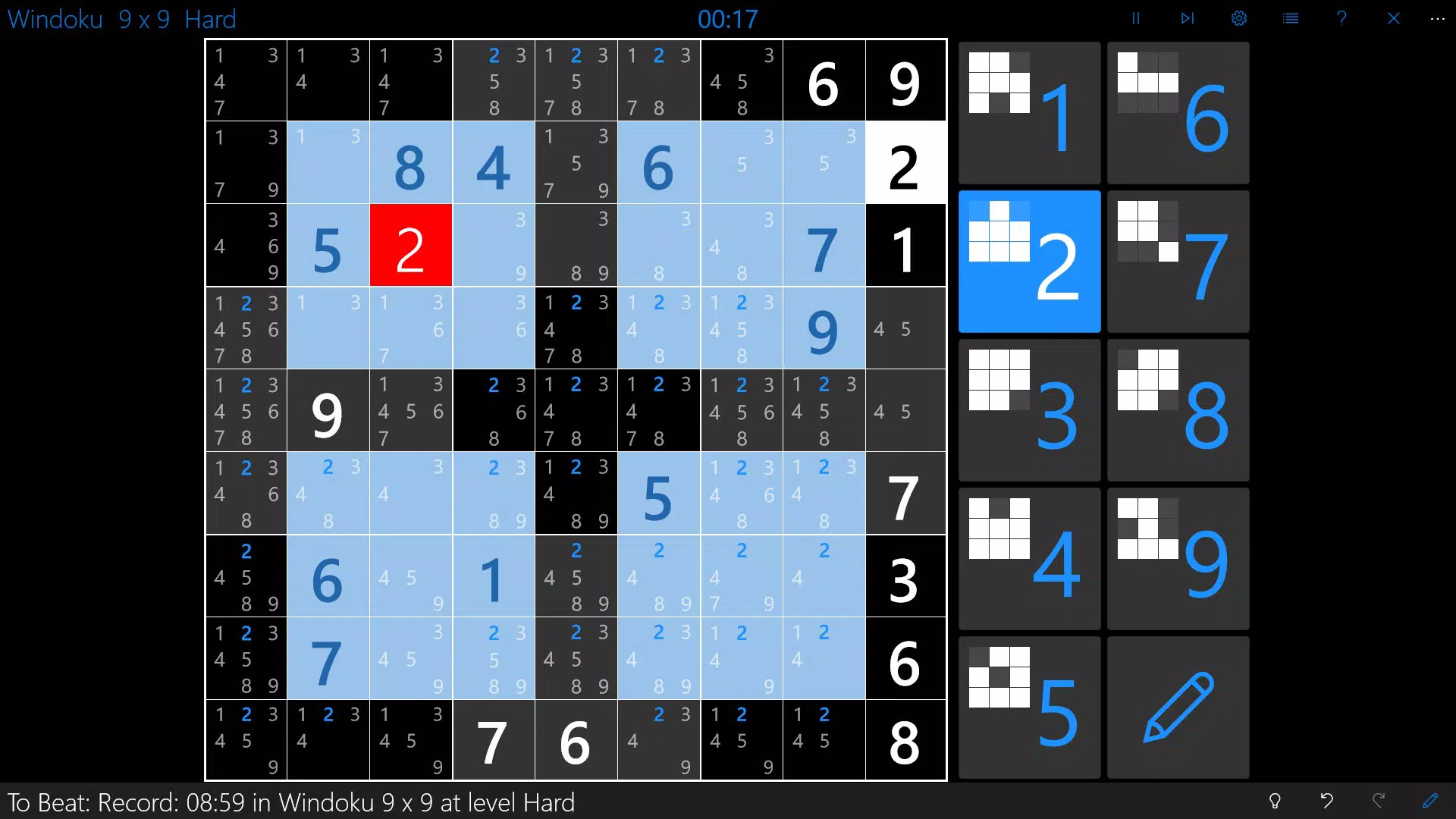
- Unlimited Puzzle Variants: Players can access six distinct Sudoku formats—Classic Sudoku, Killer Sudoku, Windoku, Jigsaw Sudoku, Diagonal Sudoku, and more—each available in five different grid sizes. This breadth ensures players can switch between styles to maintain interest and challenge different aspects of logical reasoning.
- Customizable Symbols: Instead of traditional numbers, users can replace digits with custom symbols such as letters, emojis, or icons. This feature appeals to creative players and those who find number-based puzzles intimidating, broadening the app’s accessibility.
- Intelligent Game Aids: Built-in tools include smart notes, safe number replacement, real-time error detection, and collision warnings. These features reduce frustration during complex puzzles while preserving the challenge, allowing users to focus on strategy rather than mechanical tracking.
- Flexible Gameplay Options: Games can range from quick 5-minute sessions to multi-hour challenges. Users can seamlessly switch between puzzle types and sizes, making it adaptable to various time constraints and attention spans.
- Automatic Game Saving: Progress is saved automatically across devices, enabling users to pause and resume puzzles without losing their place. This is particularly useful for those with fragmented schedules or who use multiple devices.
For example, a commuter might solve a 9x9 Classic Sudoku in under 10 minutes, while a weekend enthusiast could spend hours on a 16x16 Jigsaw variant. The ability to customize symbols allows educators to use the app as a teaching tool for pattern recognition, while parents can adapt puzzles for children using simple icons.
Interface, UX & Performance
The interface of Sudoku Central presents a clean, minimalist layout focused on usability. The grid is clearly structured, with intuitive controls for selecting and placing symbols. Navigation is straightforward, allowing users to switch between puzzle types, adjust settings, and access game aids with minimal taps. The visual style emphasizes readability, using high-contrast colors and legible fonts to reduce eye strain during extended play.
Interaction flow is consistent across puzzle types, with logical grouping of features and predictable responses to user input. The app maintains responsiveness during gameplay, with no noticeable lag when entering symbols or toggling tools. Although the developer did not list formal performance metrics, the app’s stable operation across various Android devices suggests efficient resource management.
Performance on different device categories appears to be well-balanced, with smooth rendering even on older hardware. Stability is maintained through automatic saving and error handling, minimizing crashes during long sessions. The app does not exhibit excessive battery consumption or memory usage, which contributes to a seamless user experience. Overall, the UX prioritizes clarity and control, aligning with best practices in puzzle game design.
Platform Compatibility & Technical Requirements
Sudoku Central is available exclusively on the Android platform. The current version is 1.2.2, with a file size of 20.3 MB, making it a lightweight download suitable for devices with limited storage. The app is free to download and use, with no in-app purchases or ads reported in the provided details.
The developer did not specify minimum OS requirements or compatibility with specific Android versions. As such, users should verify device compatibility through their app store. The absence of detailed technical specifications means that performance on newer or older devices cannot be confirmed, but the app’s small size and stable operation suggest broad compatibility.
Pros and Cons
- Extensive variety of puzzle types and sizes
- Customizable symbols for personalized gameplay
- Smart tools to support learning and reduce errors
- Automatic saving across devices
- Free to download and use with no ads or in-app purchases
- No publicly available developer information beyond the app name
- Compatibility details not disclosed
- Only available on Android (no iOS version listed)
- Limited visual customization options beyond symbols
- No social or leaderboard features to enhance engagement
FAQ
Is Sudoku Central safe to download?
Yes, the app is available through official Android channels and has been verified as free from malware. Its file size and developer name are consistent with known puzzle applications.
Can I play Sudoku Central offline?
Yes, the app does not require an internet connection once installed. All puzzles and features are accessible offline, making it suitable for travel or areas with poor connectivity.
Does Sudoku Central support multiple devices?
Yes, the automatic game-saving feature allows users to resume puzzles across different devices, provided they are signed into the same account or use the same storage method.
Are there any in-app purchases or ads?
Based on the provided information, the app is completely free with no in-app purchases or advertisements. The developer has not indicated any monetization beyond the free model.
How often is Sudoku Central updated?
The app was last released on 2016-05-18. While no update frequency is listed, users should check their app store for any available updates or version changes.
Final Thoughts
Sudoku Central stands out in the crowded puzzle market by offering a rich variety of Sudoku formats, intelligent tools, and user-centric features—all without cost. Its customizable symbols and automatic saving make it uniquely adaptable for diverse users, from casual players to serious puzzle solvers. The clean interface and stable performance enhance usability, while the absence of ads or in-app purchases ensures an uninterrupted experience.
Though limited to Android and lacking detailed developer information, the app remains a reliable choice for anyone seeking a free, comprehensive Sudoku experience. Its enduring presence since 2016 speaks to its functionality and user satisfaction. For those who enjoy logic puzzles, mental challenges, and customizable gameplay, Sudoku Central delivers consistent value.
Download Sudoku Central now


